One switch, a whole new look
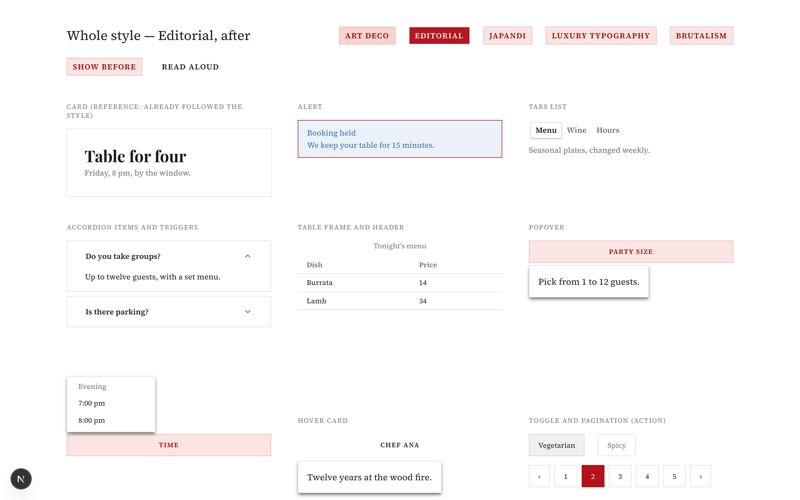
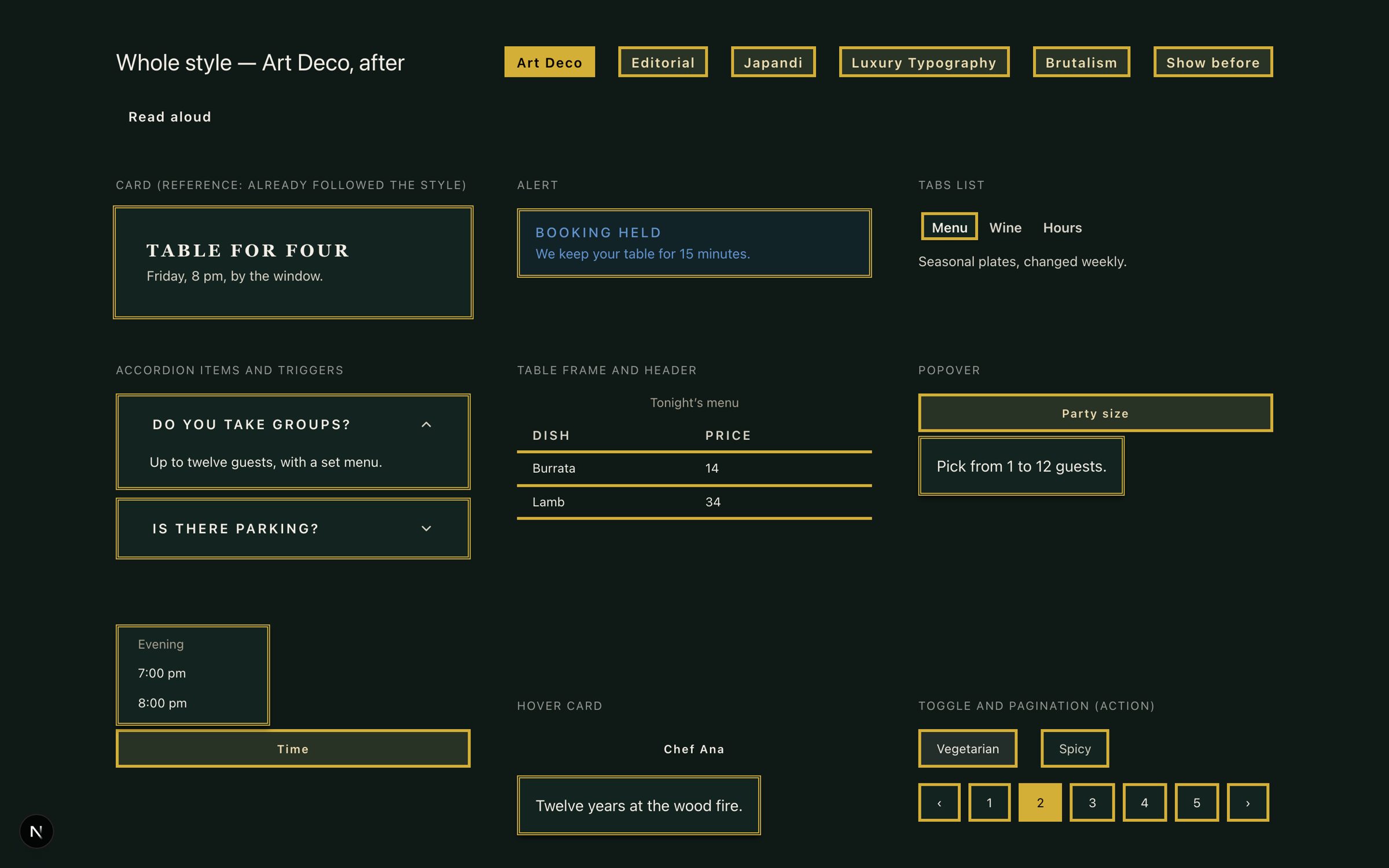
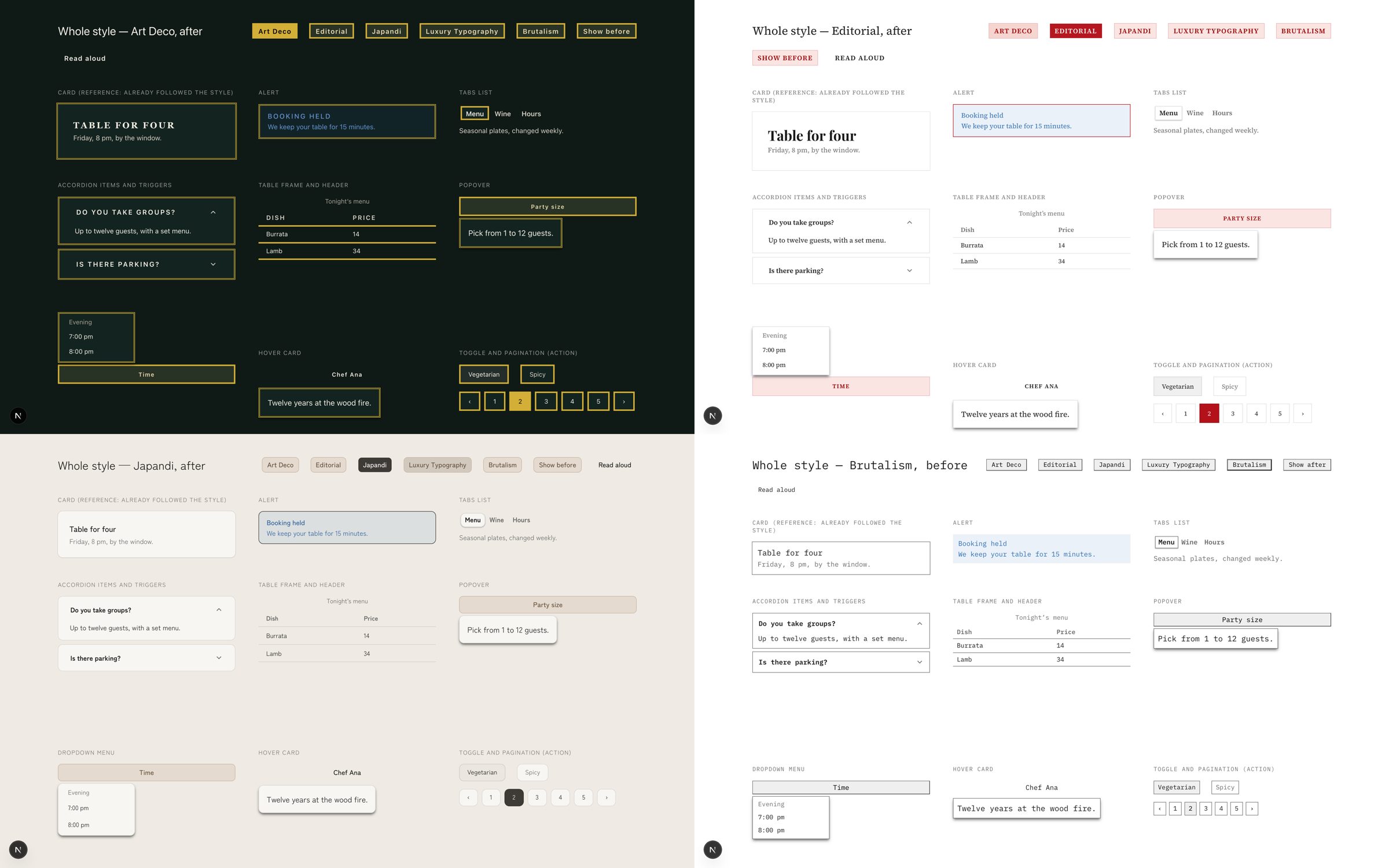
The style board shows a full set of components. Pick a style, and the tokens change: every card, tab, table and button follows at once. No component is edited by hand.
Mukamal · Designed and built with AI
Small e-commerce teams cannot pay for a design-system team. So I tested a question: can one designer, working with AI, build a system that developers would really use? I designed it, and I built it in code with Claude Code.
The problem
Tokens, components, documentation, checks and tools usually need designers and developers working together for months. Most small shops never get one. I wanted to know if AI changes that, and what a designer must still own.
What I built
Each layer uses the one before it. Change a colour, a radius or a font at the start, and every part after it follows.
The style board shows a full set of components. Pick a style, and the tokens change: every card, tab, table and button follows at once. No component is edited by hand.

Each component has a live demo, its variants, the props, when to use it and how it meets accessibility rules. A developer can install it with one command.
How I work with AI
Every feature starts as a short written spec: the problem, what done looks like, and the test that proves it. 195 specs so far.
Claude Code writes the code in its own copy of the project. It does not decide what to build. The spec does.
I compare the result with the spec, at phone and desktop sizes, in light and dark. If it does not match, it goes back.
How I check the AI
AI writes code that looks right. So nothing goes in until automatic checks pass. One example: a check makes sure every component takes its corners from the radius token. It caught a component with its corners typed in by hand, so it ignored the theme. The fix made it follow the token, like the rest.
A second check, run while I wrote this page. It found the install list 16 components behind.
Counted from the project on 7 November 2026.